01
Keep files under your control.
Run conversion on your computer or your own server. There is no need to send source documents to an external conversion service, including when creating previews of confidential material.
See the content. Skip the hunt for the original app.
Turn PDFs, Office documents, diagrams and CAD drawings into one SVG image per page. document-svg is an open-source conversion engine that gives very different files a common way to be seen.
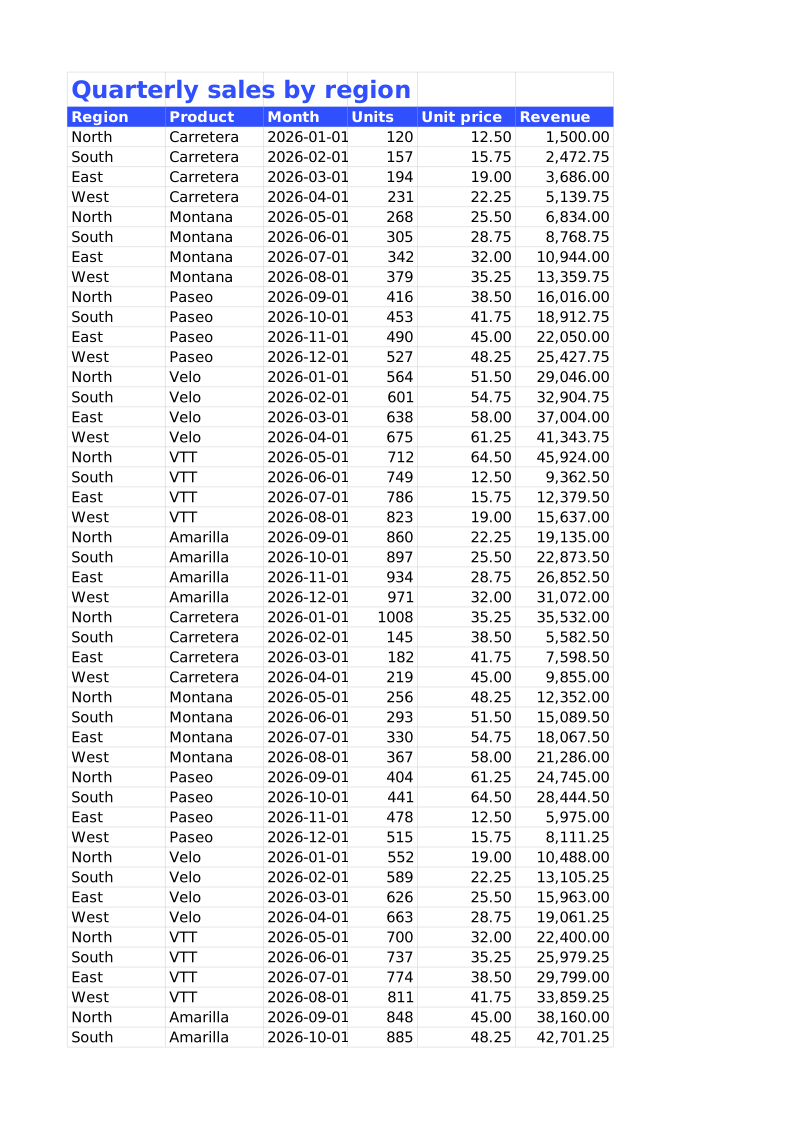
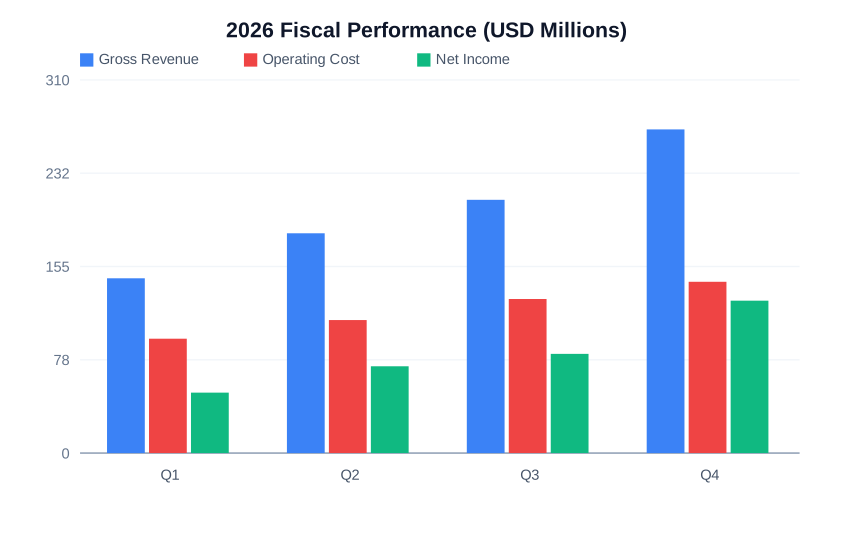
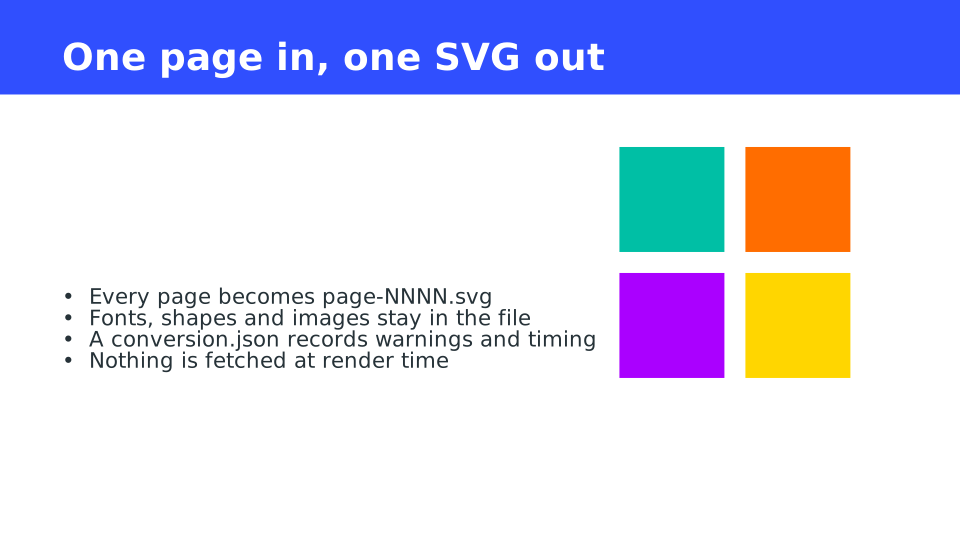
Format counts from the official site, checked October 2026. Coverage and fidelity vary by format.
A simpler way to see the file.
A drawing arrives, but you do not have the CAD app. Your product needs document previews, but every file type needs a different viewer. Convert the file into SVG pages first, and the person viewing it only needs a browser.
document-svg is an engine for your tools and workflows: run it from the command line or build it into your own application.
Run conversion on your computer or your own server. There is no need to send source documents to an external conversion service, including when creating previews of confidential material.
The output is an ordinary SVG image. Put it on a web page like any other image. Reviewers do not need Office or CAD software, and vector lines and shapes stay sharp as they zoom.
Substituted fonts, omitted elements and approximations are recorded in the conversion report. Check the result and its warnings before deciding whether a page is ready to share.
01 / The real output
Slides, spreadsheets, diagrams and models. Switch between formats to inspect SVGs generated from actual project samples.
All official samplesPage 2 of the PowerPoint sample, with shapes and text.
These are unretouched outputs from the official samples. Fonts on your device may affect their appearance.
Want to try it without installing?The official browser demo converts PDF, Word, Excel and PowerPoint inside your browser. Your file does not need to be uploaded.
02 / Put it to work
A useful tool should fit a real problem. Here is what changes, and how to start.
The presentation is in PowerPoint, the estimate in Excel and the drawing in DXF. Not everyone who needs to review them has the software that created them.
Convert each document into SVG pages and place them in your internal portal or sharing interface. Reviewers open a browser instead of finding a different application for every document.
Use the CLI to convert one file. Check the page images and the conversion report, then share them through a location approved by your organisation.
Start with the CLI03 / Under the hood
The inputs vary; the output structure stays familiar. Display the page images, then check the report for the parts that need review.
A PDF page, a PowerPoint slide or a printed Excel page becomes a page of output. Each format keeps its own natural page boundaries.
Run the CLI or call an API. A separate WebAssembly build also supports PDF and Office conversion inside a browser.
Open the SVG in a browser. conversion.json records the page count and warnings, including skipped or approximated content.
View in a browserCheck warnings for skipped or approximated content
04 / Find your format
Support does not mean the same fidelity for every file type. Find a format below, then use the full matrix to check exactly what is rendered.
.pdf.docx.xlsx.pptx.odt.ods.odpRender document pages and worksheet print pages. Layout is not guaranteed to match Office exactly.
.drawio.vsdx.mmd.puml.d2.dotTurn flowcharts and architecture diagrams into SVG, including diagrams maintained with your source code.
.dxf.gbr.gcode.pltPreview drawings, boards and machining paths. Some formats produce a summary rather than a complete drawing.
.stl.obj.step.iges.gltf.ifcRender supported elements of models and building data for inspection. Coverage varies by format.
.csv.json.yaml.tex.geojsonCreate SVG tables, charts, formulas and maps for web pages or reports.
.png.jpg.tiff.webp.svg.dcmUse a common output for images too. Raster image detail remains limited by the source resolution.
No matching categories. Try another format name or extension.
These are representative examples. The official list covers all 269 formats with their coverage and fidelity notes.
Explore the full format list05 / Your first conversion
Start with one sample. Check the pages and the warnings, then connect conversion to your existing work or application.
Choose the CLI for a quick local conversion, or a package for the language your application already uses.
Download the CLIOpen the SVG in a browser and read warnings in conversion.json. Compare pages with the original before sharing when warnings are present.
Requires Rust for this install command. To use the CLI without Rust, download a build for your OS from Releases and add docsvg to your PATH.
cargo install document-svg --lockeddocsvg slides.pptx --output out/slides
# Open an SVG in a browser and check the report
# out/slides/page-0001.svg
# out/slides/conversion.jsonUse a new or empty output directory.
Full guideExact reproduction is not guaranteed. Unsupported elements and available fonts can change the layout. Check the generated pages and warnings. For PDFs, embedded text can optionally be converted to outlines, but outlined text can no longer be edited or searched as text.
SVG can retain text information. However, when a page is displayed as an image, as on this site, its text cannot be selected or searched. Plan text extraction and search separately from image display.
Reverse conversion packages the visual appearance into a PowerPoint, Word or Excel file. It does not rebuild the original paragraphs, cells, formulas or charts. draw.io is an exception: when source data was embedded during conversion, its editable diagram can be restored.
The conversion core does not send input documents to an external conversion service. Run it on your machine or a server you control. You manage access when publishing the generated SVGs. The “Try your own file” link opens the official demo, which processes supported files inside the browser.
The engine does not execute macros or scripts and has input, expansion and page limits. These are protections, not a guarantee of safety. Convert untrusted files in an isolated process with time and memory limits. Display SVGs as images rather than inserting unchecked SVG source into HTML.
Choose either the MIT or Apache-2.0 licence. Keep the copyright and licence notices required by your chosen licence when redistributing it. The repository also includes notices for bundled dependencies.
Start with a document you already use.
Make it something a browser can show.